
How to minimize leads leakage from your medical or dental website
Minimizing lead leakage from your medical website is crucial for maximizing patient acquisition and ensuring a streamlined, high-conversion experience.
What is a leads leakage in a medical or a dental practice?
A Lead leakage occurs when potential patients express interest (by visiting your site, contacting your practice in some form, like calling you, filling out a form) but don’t convert into actual paying patients. “Leads leakage” in a medical or dental practice refers to the loss of potential patients who express interest but never convert into actual, paying patients. This often stems from inefficiencies in communication and follow-up processes.
4 Examples of Lead leakage in a medical or dental practice
1. Communication and Follow-Up Failures
- Missed phone calls: A high volume of calls that go unanswered or are sent to voicemail, especially outside of regular hours, results in lost opportunities as patients will often call the next available practice.
- Slow response times: Potential patients often choose the first practice that responds. If website form submissions, emails, or text messages sit in an inbox for days, those leads are likely lost.
- Incorrect communication channel: Responding via a phone call when a patient explicitly requested a text message (or vice-versa) can cause the lead to disengage.
- Inadequate follow-up system: Not having a structured process to follow up with potential patients who didn’t book immediately after the first contact.
2. Operational and Process Issues
- Poor phone handling skills: Front desk staff focusing too much on price instead of value and care, lacking urgency in scheduling, or providing an overall poor first impression.
- Inconvenient scheduling: Not offering online scheduling or having limited office hours (e.g., only 9-5 appointments) can deter patients seeking convenience and flexibility.
- Website inefficiencies: Slow-loading websites, non-mobile-optimized sites, or confusing navigation can frustrate potential patients and cause them to leave the site before making contact.
- Lack of technology integration: Using disparate systems where inquiries get lost when a staff member misses a text, an email goes to spam, or a call is dropped.
3. Patient Retention and Referral Issues
- Patient referral leakage: When a patient is referred to a specialist outside the practice’s network due to inefficient internal referral systems (e.g., manual, non-integrated systems), they may be lost from the original practice’s network entirely.
- Low new patient retention: A significant percentage of new patients who visit once do not return for subsequent appointments or cleanings.
- Poor patient experience: General dissatisfaction with long waiting times, unfriendly staff, or a lack of clear communication and patient education can lead to patients seeking care elsewhere.
4. Marketing Missteps
- Inaccurate contact information: Having incorrect phone numbers or contact information on Google Business Profile (GBP) and the practice website.
- Ignoring online reviews: Failing to address negative reviews in a professional and empathetic manner can deter potential new patients who check reviews before booking.
- Generic marketing messages: Using “cookie-cutter” messaging that fails to resonate with the target audience’s specific needs and preferences.
Example of a comprehensive app from PatientGain, called SPOC – Single Point of Contact. By using this app on your existing website, you can significantly reduce leads leakage, improve conversions, and provide a better patient experience.
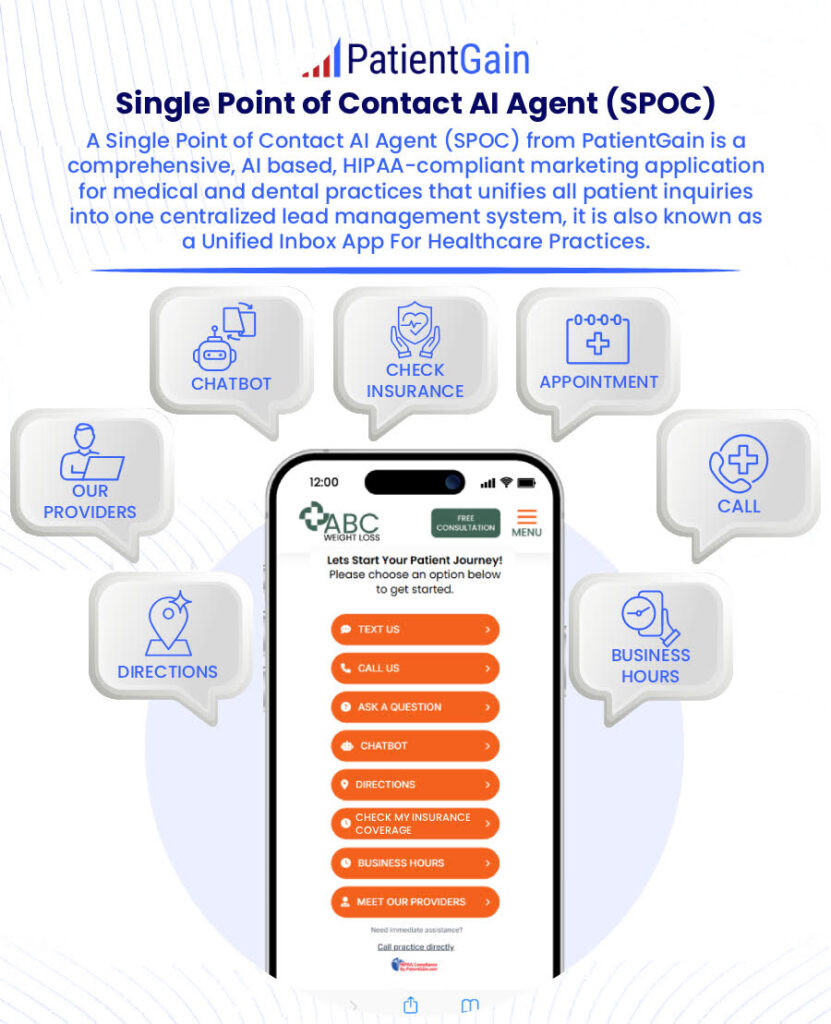
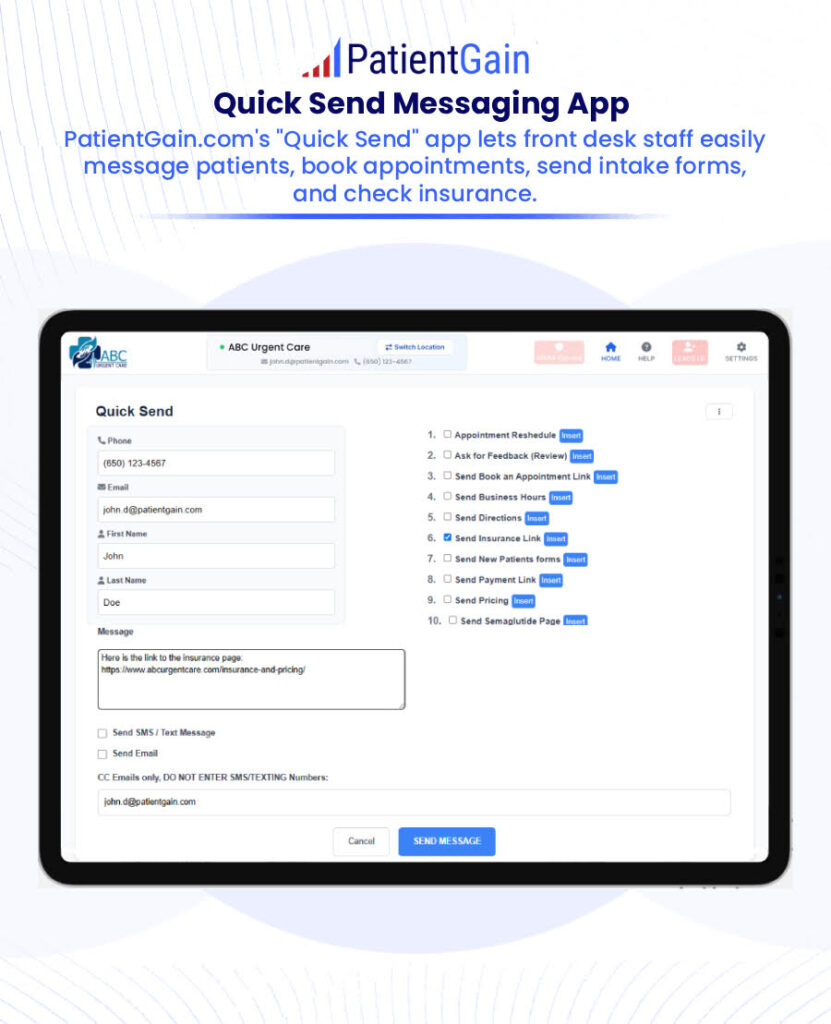
All leads, inquiries, referrals, text messages, insurance coverage from patients are saved securely in a HIPAA compliant dashboard. This dashboard is very simple to use and looks and functions like an Email app like Gmail or Outlook. So your front desk staff can easily use it every day. And if they need any training or help, PatientGain service comes with an assigned Project manager and a Technical lead. Both of these staff members are available to you and your staff by Email, SMS/Texting and Zoom calls.
Here are several strategies to minimize lead leakage:
1. Optimize Your Website for Conversions
- Clear Calls-to-Action (CTAs): Every page on your website should have a clear, visible CTA that guides visitors toward scheduling an appointment or contacting your practice. Use action-oriented language such as “Book an Appointment,” “Get Started,” or “Speak with Our Specialist.”
- Simplified Contact Forms: Reduce friction by minimizing the number of fields required in your contact forms. Only ask for essential information (e.g., name, phone number, reason for the visit).
- Sticky CTAs and Floating Buttons: Use persistent CTAs or floating buttons that stay visible as the user scrolls through the site, making it easier for them to schedule appointments or contact you at any time.
2. Implement Appointment Scheduling Tools
- Online Booking: Allow visitors to book appointments directly from your website through integrated scheduling tools. Use tools like Zocdoc, PatientGain, or DoctorLogic to enable seamless booking.
- Real-Time Availability: Ensure that your booking system shows real-time availability. This reduces the chances of leads abandoning the process because they couldn’t find a suitable appointment time.
- Instant Confirmation: After a visitor schedules an appointment, provide instant confirmation via email, SMS, or both, to reassure them that the appointment has been secured.
3. Improve Mobile Experience
- Responsive Design: With the increasing use of mobile devices, ensure your website is fully responsive. A slow or hard-to-navigate mobile site can cause users to leave before converting.
- Click-to-Call Buttons: On mobile, implement click-to-call buttons that allow users to directly call your practice without needing to dial manually.
4. Use Exit-Intent Popups
- Capture Leaving Visitors: Implement exit-intent popups that appear when a visitor is about to leave the website. Offer them something valuable, like a free consultation, a downloadable guide, or a special promotion, in exchange for providing their contact information.
- Special Offers: A time-sensitive discount or bonus (e.g., “15% off your first visit if you book today”) can encourage hesitant visitors to convert before leaving.
5. Speed & Performance Optimization
- Fast Load Times: A slow website can frustrate visitors, leading to abandonment. Use tools like Google PageSpeed Insights to test and improve your site’s loading speed.
- Minimize Popups: Excessive popups or auto-playing videos can be distracting. Ensure that popups are timely, non-intrusive, and serve a clear purpose.
6. Lead Nurturing via Retargeting
- Retargeting Ads: Use retargeting ads (on platforms like Google or Facebook) to reach visitors who have shown interest but didn’t convert. These ads can remind them of the services they were interested in and encourage them to schedule an appointment. However there are legal issues in healthcare and HIPAA regulations. So it must be done with extreme care.
- Follow-Up Emails: Set up email drip campaigns that automatically send follow-up messages to visitors who have interacted with your website but haven’t taken the desired action. Offer incentives (cash pay patients only), remind them of the value of your service, or provide additional information to move them closer to conversion.
7. Address Common Concerns
- Patient Testimonials: Display real patient testimonials or before-and-after photos prominently on your site to build trust and credibility.
- Trust Signals: Highlight your credentials, board certifications, patient reviews, and affiliations with respected health organizations.
- Easy Navigation: Ensure your website is intuitive and users can easily find information such as pricing, services offered, and providers’ qualifications. If people struggle to find what they need, they may leave the site.
8. Use AI and Chatbots for Real-Time Engagement
- Chatbots for Immediate Interaction: Implement an AI-powered chatbot to engage visitors as they browse the site. The chatbot can answer common questions, suggest services, or help schedule an appointment right away.
- Lead Qualification: Use the chatbot to qualify leads by asking simple questions about their needs (e.g., “What services are you interested in?” or “Are you seeking treatment for a specific condition?”). This ensures that the leads captured are more likely to convert.
9. Improve Patient Education Content
- Educational Resources: Provide valuable content such as blog posts, videos, or FAQs about common treatments or conditions. When patients feel informed, they are more likely to trust your practice and move forward with booking an appointment.
- Visual Storytelling: Use visual content such as infographics or explainer videos to simplify complex procedures or services. This can increase engagement and encourage patients to take the next step.
10. Streamline the Follow-Up Process
- Multi-Channel Communication: Use SMS, email, and phone calls for follow-up after visitors schedule an appointment. Patients who receive timely reminders and confirmations are more likely to show up.
- Re-engage Inactive Leads: For those who started the booking process but didn’t complete it, send gentle follow-up emails or SMS messages reminding them of the benefits of booking.
11. Create Urgency with Scarcity
- Limited Availability: If applicable, show that there’s limited availability for appointments or that certain promotions are expiring soon. The fear of missing out (FOMO) can drive immediate action.
- Countdown Timers: Use countdown timers for special offers or new treatment availability to create urgency and prompt leads to convert sooner.
12. Leverage Patient Referrals
- Referral Programs: Encourage your existing patients to refer others to your practice by offering incentives like discounts, gift cards, or free services. Word-of-mouth can be a powerful motivator for new patients to take action.
In Summary: Key Tips to Minimize Lead Leakage
- Streamline patient interactions: Clear CTAs, easy navigation, and a smooth contacting process. For example, if you add SPOC app from PatientGain to your website, you will make it much easier for your patients for contact you.
- Speed is essential: Improve website speed and mobile responsiveness.
- Leverage automation: Use AI, chatbots, and follow-up workflows to capture and nurture leads.
- Continuous engagement: Implement retargeting and lead nurturing to re-engage visitors who didn’t convert the first time.
By addressing these areas, you can significantly reduce lead leakage, convert more website visitors into patients, and optimize your practice’s marketing efforts.

 Send Text
 How may I help you?