

HIPAA Compliance For Medical Websites
A medical practice website must be HIPAA-compliant if it collects, stores, processes, or transmits electronic Protected Health Information (ePHI). If your site handles patient names, emails, phone numbers, appointment requests, or health conditions, it triggers HIPAA Security and Privacy Rule requirements. Purely informational pages (like services or staff bios) do not require compliance, but any page touching patient data must be strictly secured. For example, standard, free version of Google Analytics and Meta Pixels, Meta leads manager are not HIPAA compliant.
Core Requirements Checklist
| Safeguard Type | Requirement | Implementation Steps |
|---|---|---|
| Technical | Data Encryption | • Implement SSL/TLS certificates for encryption in transit (HTTPS). • Use AES 256-bit encryption for data at rest on servers and databases + a BAA. |
| Technical | Secure Web Forms & Applications | • Never use standard, unencrypted contact plugins (e.g., standard WordPress form plugins). Standard Wix, Weebly, or WebFlow • Use dedicated HIPAA-compliant forms and apps with encrypted storage + a BAA. |
| Technical | Access & Audit Controls | • Create unique login credentials for authorized staff. • Enable automated audit trails to track who views, edits, or deletes data + a BAA. |
| Administrative | Vendor Management (BAAs) | • You must sign a Business Associate Agreement (BAA) with your web host, form providers, and email servers. • Note: Budget hosts will not sign a BAA. |
| Administrative | Data Availability | • Set up automated, encrypted backups that allow complete data recovery. • Establish secure data disposal protocols + a BAA. • Establish a role-based-access (RBAC) + a BAA. |
| Legal/Privacy | Public Notices | • Feature a distinct, globally accessible link titled exactly “Notice of Privacy Practices” in your website’s footer. • Provide a clear website Privacy Policy. |
For a healthcare practice website, the central HIPAA question is not simply “Is the website secure?” It is whether the website creates, receives, maintains, or transmits electronic protected health information (ePHI), and who else receives that information. HIPAA applies to covered entities and their business associates, and HHS requires administrative, physical, and technical safeguards for ePHI.
| Area | Main HIPAA concern | What a healthcare practice should verify |
|---|---|---|
| 1. Contact & lead forms | A form may collect name, phone, email, requested treatment, symptoms, appointment reason, or other health-related information. | Form submissions containing PHI should be transmitted and stored appropriately, with access restricted to authorized staff. Forms and PHI should never be sent by “Email”. |
| 2. Google Analytics, Meta Pixel & tracking scripts | Third-party trackers can receive URLs, form interactions, identifiers, device IDs, appointment information, or other data. | Determine exactly what each tracker receives. If PHI is disclosed to a vendor acting as a business associate, an appropriate BAA and HIPAA-permitted disclosure are required. |
| 3. BAAs with vendors | Hosting companies, form providers, analytics vendors, CRM systems, chat providers, scheduling systems, and other vendors may handle PHI. | Identify every vendor that creates, receives, maintains, or transmits PHI on your behalf and determine whether a BAA is required. |
| 4. Appointment scheduling | Appointment requests can associate an identifiable person with healthcare services. | Scheduling software, databases, notifications, and integrations need appropriate safeguards and vendor relationships. HHS specifically gives appointment scheduling as an example where tracking technology can expose PHI. |
| 5. Chat / AI chat / chatbot tools | Patients frequently type symptoms, diagnoses, medications, treatments, or personal information into chat boxes. | Verify where conversations are transmitted and stored and whether the provider handling PHI will execute an appropriate BAA. |
| 6. Email notifications | A secure form can become insecure if its contents are forwarded into ordinary email accounts or through unapproved systems. | Review the entire data path: website → server → email/CRM → staff. Protect ePHI while transmitted and stored. HIPAA requires transmission-security measures. |
| 7. Hosting and database security | PHI may remain in WordPress databases, backups, logs, form plugins, staging sites, or hosting dashboards. | Access controls, authentication, appropriate safeguards, backups, patching, monitoring and vendor agreements should cover every location containing ePHI. |
| 8. User access and administrator accounts | Web developers, agencies, freelancers, employees and IT contractors may have broad access to patient information. | Apply role-based/appropriate access, unique accounts, strong authentication, prompt removal of former users and audit controls. |
| 9. Plugins and integrations | A single plugin can send website data to another company without the practice realizing it. | Inventory plugins, scripts, APIs, tag managers and integrations, including their downstream vendors. |
| 10. Notice of Privacy Practices | A compliant security setup does not replace HIPAA’s privacy-notice requirements. | Covered entities maintaining a website providing information about services or benefits generally must prominently make their Notice of Privacy Practices available on the website. HHS issued revised model notices in February 2026. |
| 11. Security risk analysis | Installing SSL or buying “HIPAA hosting” does not by itself establish HIPAA compliance. | The organization needs an appropriate HIPAA security risk analysis covering systems that create, receive, maintain or transmit ePHI. HHS describes risk analysis as foundational to Security Rule compliance. |
| 12. Breach detection and response | A hacked form, compromised administrator account, vulnerable plugin or unauthorized tracking disclosure can become a reportable incident. | Have documented incident-response and breach-evaluation procedures and ensure business associates have reporting obligations. |
One of the biggest website problems today: trackers
If the medical website simultaneously sends information about that interaction to an advertising or analytics platform (example Google analytics, Google Tag manager, Google PPC, Meta Ads, Meta Pixel, Meta Lead manager) , the practice needs to determine whether that transmission contains PHI and whether it is permitted under HIPAA.
HHS specifically warns that tracking technology on appointment forms, symptom checkers, patient portals and similar areas can have access to PHI. When the tracking vendor qualifies as a business associate, the regulated entity generally needs an appropriate BAA and a permissible basis for disclosure.
There is an important nuance. A federal court in June 2024 vacated the portion of HHS guidance that treated the combination of an IP address plus a visit to a public health-related webpage, by itself, as sufficient to trigger HIPAA in certain circumstances. HHS’s current guidance acknowledges that ruling. So merely visiting a public page about “Botox” or “dental implants” does not automatically make every analytics event PHI. Actual form submissions, appointment information, portal information and other identifiable health information present much clearer risks.
A cookie-consent banner is not a HIPAA solution
This is another common misunderstanding. Having a popup saying:
“Accept Cookies / Reject Cookies”
does not turn an otherwise impermissible PHI disclosure into a permissible one. HHS explicitly states that ordinary website cookie banners are not HIPAA authorizations.
How does PatientGain’s VaultDocSites address these HIPAA issues for medical websites?
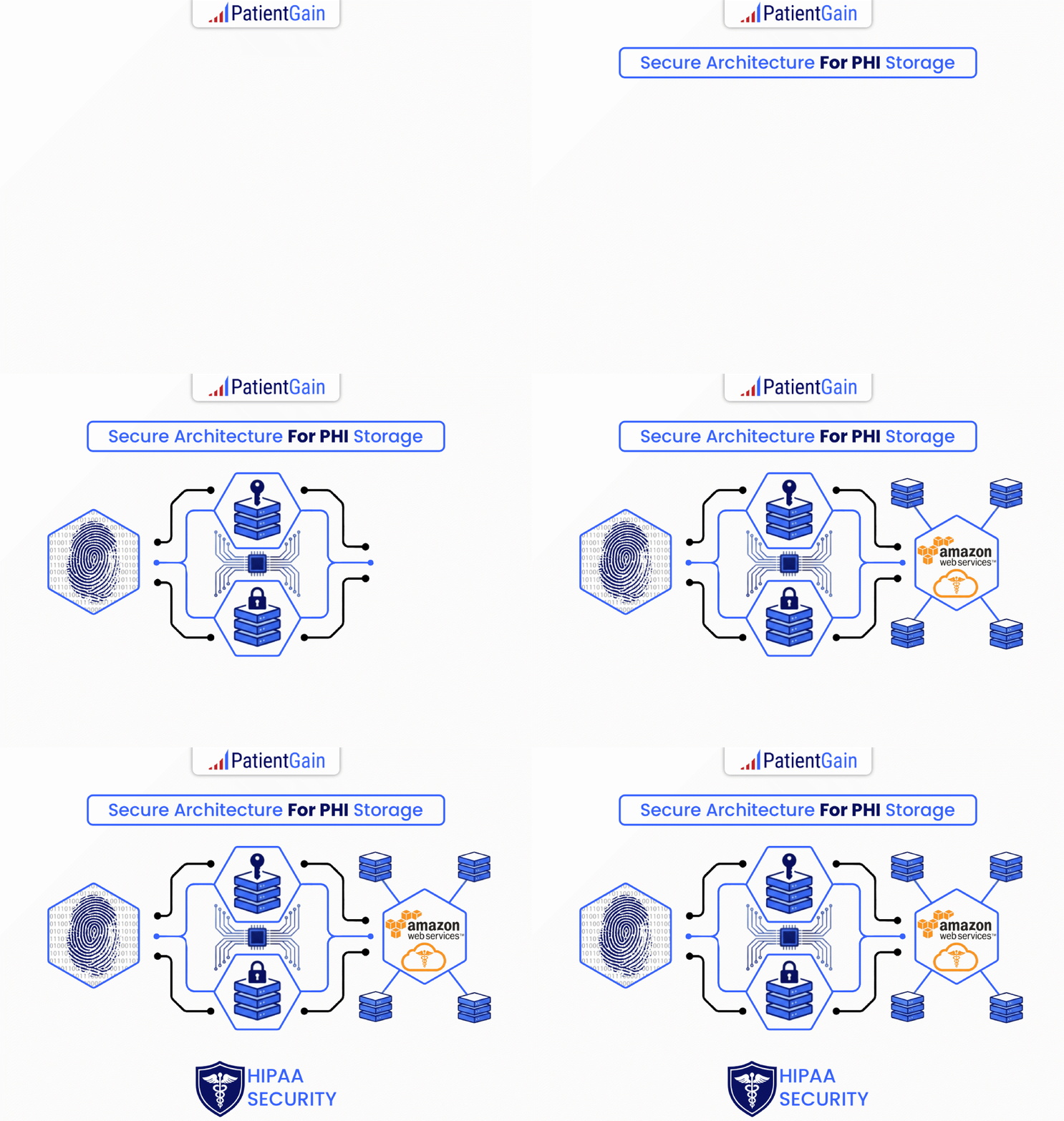
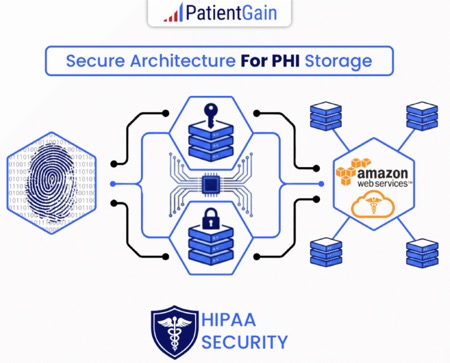
PatientGain’s VaultDocSites is engineered specifically around the website-side HIPAA risks identified, rather than treating HIPAA as an add-on to a conventional WordPress site. The most important architectural idea is that the public website is not supposed to be the repository for patient data. PatientGain approach is that PHI collected through forms, appointment requests, chat and similar tools is routed away from WordPress into a separate encrypted PatientGain environment (Called HipaaServer). There is never any PHI stored in website tables, there are no plugins.
| HIPAA website concern | How VaultDocSites says it addresses it |
|---|---|
| Patient forms containing PHI | Form submissions bypass the normal WordPress/MySQL database and go into PatientGain’s secure data environment. |
| PHI sitting inside WordPress | PatientGain’s VaultDocSite architecture is “zero PHI in WordPress.” PatientGain’s VaultDocSites achieve a “zero PHI in WordPress” architecture by treating WordPress strictly as a public-facing presentation layer rather than a system of record. |
| BAA | PatientGain signs a BAA covering applicable services handling PHI, including its website/form infrastructure, and the service also. |
| Hosting/security | VaultDocSites use protected systems use AWS and/or Google Cloud environments under BAAs, with encryption in transit and at rest. |
| Google Analytics / analytics leakage | VaultDocSites use provides HIPAA-oriented native analytics/SPOSA and can isolate or obfuscate data instead of simply exposing identifiable information to ordinary third-party tracking tools. |
| Meta Pixel / ad pixels | VaultDocSites architecture uses tracking guardrails and can block or prevent standard pixels from receiving sensitive data. |
| Appointment requests | Appointment and conversion information is routed into the secure VaultDocSites environment rather than being treated as an ordinary marketing lead. |
| Email exposure | VaultDocSites saves all inquiries as being presented through its secure dashboard rather than relying on ordinary WordPress/email storage. |
| Website plugins | VaultDocSites removes ordinary third-party WordPress plugins from the patient-data path. |
| CRM / lead storage | PatientGain leads and PHI are stored within its protected CRM/data-vault environment. |
| User access | VaultDocSites dashboards use role-based access, logging and restrictions on who can access sensitive applications. |
| Audit logs | PatientGain application and infrastructure access is logged and reviewed. |
| Vendor sprawl | VaultDocSites bundles website, forms, CRM, analytics, texting, communications, SEO, PPC ads, Email marketing and other marketing functions into a one solution. |
| External web developers | Because PatientGain manages the site and secure infrastructure, a practice can avoid giving independent developers broad database/server access. |
| Security maintenance | PatientGain confirms that it manages hosting, security, website maintenance and monitoring as an ongoing managed service. It has specific security protocols, SOPs that go beyond HIPAA requirements. |
The architecture is probably the biggest difference
A conventional healthcare WordPress site can easily turn into:
Patient → WordPress form → WordPress DB → plugin → email → CRM → analytics → Meta/Google
Each arrow creates another possible data disclosure or another copy of PHI.
PatientGain describes VaultDocSites more like:
Patient
↓
Public VaultDocSite / WordPress presentation layer
↓
PatientGain secure application layer
↓
Encrypted PatientGain data environment on AWS/GCP
↓
Secure dashboard / authorized practice employee
The crucial concept is:
Public website ≠ patient database
That separation is a sensible security design because a compromise of the CMS does not automatically imply that the attacker obtains the database of patient inquiries. PatientGain specifically identifies this separation as a major VaultDocSites design principle.
Analytics is another significant difference
This is particularly relevant for healthcare marketing.
HHS says that when tracking technologies receive PHI on behalf of a regulated entity, HIPAA requirements can apply, including appropriate permitted disclosures and potentially a BAA. HHS specifically discusses appointment information and website tracking as an example.
PatientGain SPOSA — Single Point of Secure Analytics architecture sends activity into its protected analytics environment first rather than simply sending raw patient-related activity directly into ordinary marketing trackers.
Conceptually:
Typical implementation
Patient browser
→ Google Analytics
→ Google
→ Meta Pixel
→ Meta
→ CRM
→ multiple marketing systems
versus PatientGain’s design:
Patient browser
↓
PatientGain secure collection layer
↓
HIPAA-oriented analytics / secure dashboard
↓
Only permitted/sanitized marketing information leaves the protected environment
That is a much more appropriate architecture.
Vendor consolidation can also reduce compliance complexity
Example of a typical practice:
Website company + hosting provider + form plugin + Mailchimp + texting vendor + review software + analytics platform + call tracking + chatbot + SEO contractor.
That can mean 5 to 8 different systems that have to be examined for what information they receive, whether they are business associates, and whether appropriate agreements and controls exist.
PatientGain positions VaultDocSites as a consolidation platform, integrating many of those functions into its own ecosystem and BAA-backed environment.
This doesn’t automatically make the practice HIPAA compliant, but reducing the number of places PHI travels can materially reduce the attack surface and compliance-management burden.
PatientGain assumes contractual and regulatory responsibilities for the PHI it handles as a business associate — but it does not make the practice’s own HIPAA obligations disappear.
Most compelling about VaultDocSites from a HIPAA perspective
The value isn’t simply “AWS + SSL + BAA.” Many companies can provide those.
The more meaningful combination is:
Secure website architecture
- PHI removed from WordPress
- secure forms
- protected CRM/dashboard
- HIPAA-oriented analytics
- tracking/pixel controls
- role-based access
- audit logging
- BAA
- managed website/security environment
- fewer third-party plugins/vendors
- Done-For-You Service – Least headaches for the practice manager and practice owners.
That directly tackles many of the places where healthcare websites commonly get into trouble.
For a practice currently paying multiple separate companies for website, SEO, analytics, email, texting, forms, reviews, advertising and maintenance, the compliance benefit of VaultDocSites may therefore be just as much about simplifying the data architecture as about any individual security feature.
 Send Text
 How may I help you?